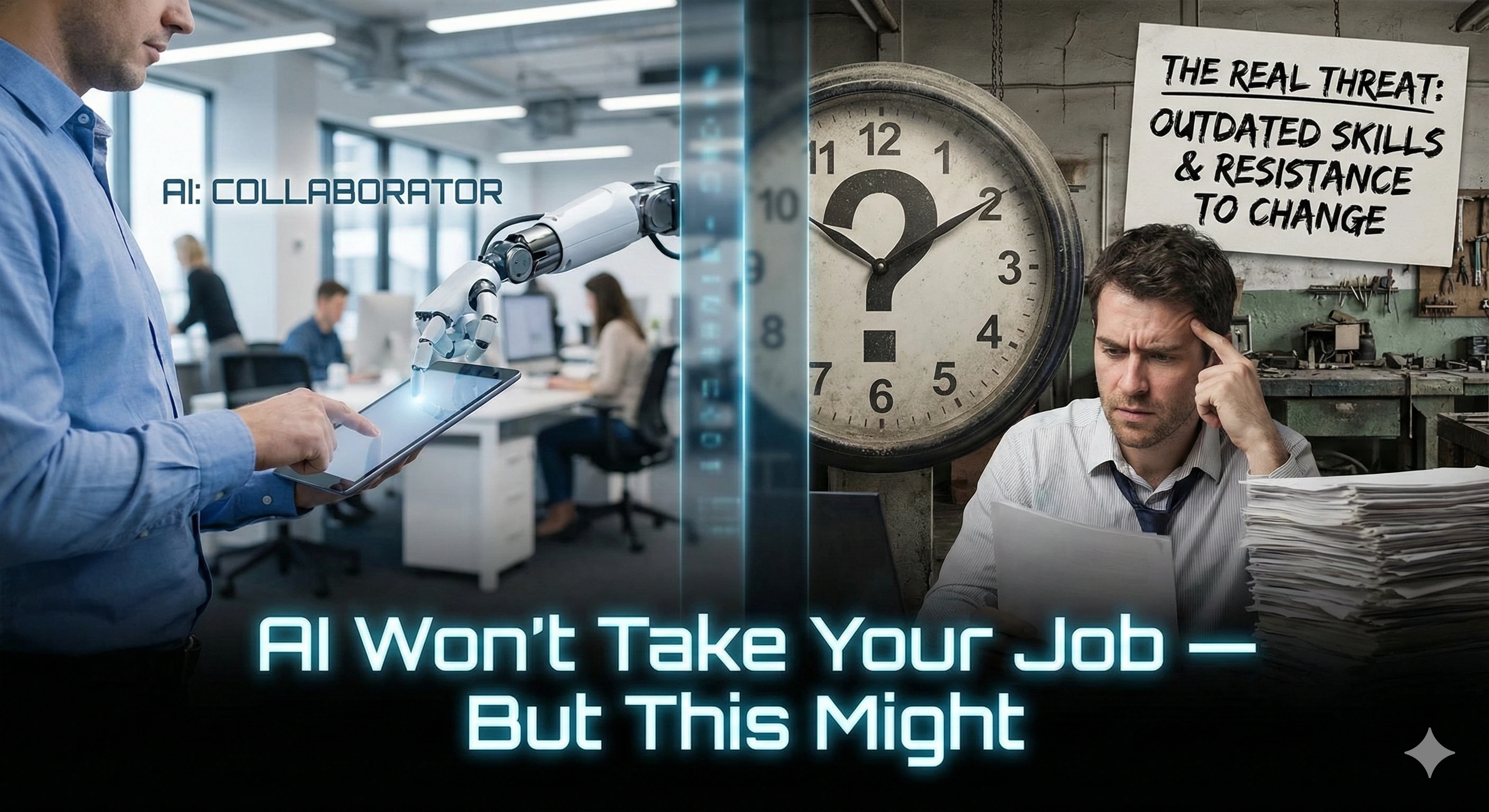
Quick truth: most people won’t be replaced by AI. They’ll be replaced by someone who uses AI to do the same job faster, clearer, and with fewer mistakes.
And here’s the part nobody says out loud: the real risk isn’t the technology — it’s a handful of avoidable habits that quietly make people less valuable over time.
This is a calm, beginner-friendly guide to staying valuable as AI tools evolve — without learning to code, without panic, and without turning your life into a “content hustle.”
For many professionals, this is where AI capability starts — not with tools, but with how you work.
What “AI‑Proof” Really Means
AI‑proof doesn’t mean “compete with AI.” It means:
- You stay useful as tools change.
- You use AI to support your work (draft, summarize, organize, clarify).
- You lean into what humans do best (judgment, context, relationships, accountability).
The Real Risks (The “This Might”)
Here are the biggest ways people accidentally make themselves replaceable — even if they’re smart and hard-working:
1) Avoiding AI completely
Not using AI at all doesn’t keep you safe — it can slowly widen the gap between you and colleagues who use it for drafting, summarizing, planning, and clarity.
2) Using AI as a shortcut (and losing your judgment)
If AI becomes your brain, your value drops. The winners use AI as a thinking partner, not a replacement for thinking.
3) Being the “messy communicator”
In an AI world, clear communication becomes more valuable — because messy communication becomes more obvious. AI can help you tighten emails, summaries, and plans.
4) Being invisible (no documented impact)
If your value lives only in your head (or in informal conversations), you’re easier to overlook. Document your wins, decisions, and outcomes.
5) Only doing tasks that are easy to automate
AI is best at repeatable tasks. You want to own the parts that require context, tradeoffs, and accountability.
6) Not building “human moat” skills
AI struggles with real-world nuance. Skills like stakeholder communication, prioritization, negotiation, and decision-making become career armor.
7) Waiting for your job to change before adapting
By the time a change hits your workflow, you want to already have a calm baseline: AI literacy + a few proven workflows.
A 10‑Minute “AI‑Proof” Self‑Audit (Do This Today)
This is the simplest way to reduce job anxiety: get clarity on what you do that AI can help with vs what you do that only you can do.
Prompt: Map your value (human + AI)
Ask me 10 questions to understand my role, responsibilities, and how I create value.
Then produce:
1) My “Human Advantage” list (things that require judgment, context, trust, or accountability)
2) My “AI Assist” list (things AI can help draft, summarize, organize, or speed up)
3) The top 3 workflows I should improve in the next 30 days
Keep it calm, beginner-friendly, and specific.
What you’re looking for: a short list of high-leverage areas where AI helps you move faster — while you keep the judgment.
Use AI at Work Without Replacing Yourself
Here’s the safest beginner rule:
- AI drafts. You decide.
- AI summarizes. You verify.
- AI suggests. You choose.
And one practical safety note: keep confidential company data out of public tools unless your organization provides an approved enterprise AI solution.
Copy/Paste Prompts That Protect Your Value
These prompts are designed to improve the things that make people valuable: clarity, decisions, relationships, and documented impact.
Prompt 1: “Make me clearer” (emails, updates, notes)
Rewrite this so it’s clearer and more confident, without sounding robotic.
Audience: [boss/team/client]
Tone: calm, helpful, professional
Constraints: keep it under [X] words, preserve all facts, use plain English.
Text: [PASTE]
Prompt 2: “Executive summary + action items” (meetings)
Summarize the notes below into:
- 5 key takeaways
- action items (owner + due date if mentioned)
- risks / open questions
- a 2-sentence executive summary
If anything is unclear, list your questions.
Notes: [PASTE]
Prompt 3: “Decision partner” (tradeoffs, priorities)
Help me make a decision.
First ask up to 5 clarifying questions.
Then compare options using a simple decision matrix (criteria + weights).
State assumptions clearly.
End with: the smallest safe next step I can take this week.
Prompt 4: “Document my impact” (job protection habit)
Turn the bullets below into a short “impact log” entry I can save weekly.
Format:
- What I did
- Why it mattered
- Result / outcome (numbers if possible)
- What I learned / next step
Bullets: [PASTE]
Prompt 5: “Where should I use AI safely?” (workflow planning)
Based on my role, suggest 10 safe, low-risk ways to use AI this month.
Rules:
- No confidential data
- No risky decisions delegated to AI
- Focus on drafting, summarizing, organizing, learning, and planning
Include 3 quick wins I can try today.
A Calm 30‑Day Plan to Become More AI‑Confident at Work
This is intentionally low-pressure. The goal is not “mastery.” The goal is comfort + repeatable workflows.
Week 1: Clarity
- Do the 10‑minute self‑audit (Human Advantage vs AI Assist).
- Pick one workflow to improve (email clarity, meeting summaries, planning).
Week 2: Practice
- Use two prompts 3 times each (you’ll feel the speed quickly).
- Create a tiny “Prompt Library” note you can reuse.
Week 3: Apply
- Use AI for a real work deliverable (draft, outline, or summary).
- Keep human judgment: verify facts, adjust tone, add context.
Week 4: Cement
- Start a weekly “impact log” (2 minutes every Friday).
- Ask: What saved time? What improved clarity? What reduced stress?
If you want a structured, beginner-friendly path: the AI Skills Accelerator is designed to build confidence with practical workflows — no technical background required.
FAQ
So… will AI take my job?
In most roles, AI changes tasks before it replaces people. The safest move is to learn a few workflows that make you faster and clearer — while you strengthen the human skills that AI can’t replace.
Do I need to learn to code to be AI-proof?
No. For most professionals, you need AI literacy (how to ask, verify, and apply) — not technical mastery.
What skills does AI struggle to replace?
Judgment, context, relationship-building, negotiation, prioritization, leadership, and accountability — especially in messy real-world situations.
Is it safe to use AI at work?
It can be, if you avoid sensitive data and keep humans responsible for decisions. Use AI for drafting, summarizing, organizing, and learning — and verify anything that matters.
What’s the fastest “beginner win” I can try today?
Use the “executive summary + action items” prompt on a meeting note or long email thread. It saves time and improves clarity immediately.
How do I stay calm when AI headlines are scary?
Focus on what you can control: adopt 1–2 safe AI workflows, document your impact weekly, and strengthen human skills. AI doesn’t reward panic — it rewards clarity.